Group trip itinerary template for Google Sheets and Docs

By Mike Dalton
Most itinerary templates are made for one traveler. A group trip needs columns for who is coming, when each person arrives, which dinner is for which people, and who paid. This template has them. It is free, there is no sign-up, and it comes as a spreadsheet for Google Sheets, Excel, and Numbers, and as a document for Google Docs and Word.
Get the template
- Spreadsheet (the main one): download the Excel file. To use it in Google Sheets, upload it to Google Drive and it becomes a Google Sheet you own. It opens in Excel and Numbers as it is.
- Document: download the Word file. To use it in Google Docs, upload it to Google Drive the same way.
Both are plain files with nothing hidden in them. Change anything you like.
If the part you dread is typing every booking in, you can skip the template entirely: Whimbrel builds the same tabs from the confirmation emails each traveler forwards, free. The rest of this post is for people who want the spreadsheet.
What is in it and why
The spreadsheet has six tabs. The first row of each one says what the tab is for.
Overview. The trip name, dates, destination, the organizer, the group chat, the shared lodging and its booking reference, and one line that settles the money rule before anyone pays: shared costs split evenly unless marked. Each row has room for a link, an owner, and notes. There is also a row for the arrival window to aim for, so the airport run is one trip instead of four.
Travelers. One row per person: when they arrive and leave, how they are getting there, their phone, dietary notes, and whether they are in on the shared lodging. This tab comes first because every other tab depends on it. Group trips rarely have one set of dates, and the itinerary is only honest if it knows who is there on which days.
Day by day. One row per thing that happens, with the two columns a single-traveler template does not have. Who it is for defaults to Everyone; change it to names for the early hike three people signed up for or the restaurant for the two who like fish. Booked by says which traveler holds the confirmation, so nobody has to ask the group chat.
| Date | Time | What | Where | Who it is for | Booked by | Confirmation number |
|---|---|---|---|---|---|---|
| Fri 30 Oct | 2:00 pm | Check in | Hotel Artemide, Rome | Everyone | Sam | 48213-A |
| Fri 30 Oct | 8:00 pm | Dinner | Roscioli | Everyone | Priya | ROS-7781 |
| Sat 31 Oct | 7:30 am | Colosseum underground tour | Colosseum | Sam, Priya, Alex | Sam | CT-003912 |
Bookings. Every confirmation in one place: the type, which travelers it covers, the provider, the confirmation number, date, amount, who paid, and a Forwarded to the trip? column. That last column is the discipline that makes the whole thing work: the booking goes on this tab the day the confirmation arrives, not the week before departure, because the person who booked in March will not remember which site they used by June.
Money. Each shared cost the day it happens: who paid, the amount, the currency, who it was split among, and whether there is a receipt. Below the list, a small table shows what each person has paid so far, pulled from the Travelers tab. It shows who has paid, not who owes whom. Settling up is a separate step, and the totals assume one currency.
Packing and to-dos. The columns that matter: owner, due, and done. Who is bringing the speaker, who has the booking reference for the house, who is picking up the rental car, and by when.
The document version has the same six sections as headings and tables, for people who would rather write than fill in cells, and for printing.
How to use it as the organizer
- Fill in Travelers before anything is booked. Names, and the dates each person has said yes to. A maybe gets no row until it is a yes.
- Share it with edit rights to the people coming and view rights to the people at home. In Google Sheets that is the Share button; in a file sent around by email, it is a copy per person and a mess, so use Sheets or Docs if you can.
- Ask every traveler to add their own bookings to the Bookings tab the day they book, and to put the confirmation number in. The organizer's job is to notice what is missing, not to type everything in.
- Log money at the table. Not that night, not on the flight home. The Money tab is the one that saves the week of bank statements afterward.
- Check the first day the week before. Every person's arrival should be on Day by day. The one that is missing is the one that will cause the problem.
The decisions before any of this, dates, budget, destination, and who is actually coming, are covered in How to plan a group trip.
Make it yours
Delete the tabs you do not need; the Money tab is optional if your group settles up another way. Add a tab per city for a long trip. The header row is frozen on every tab so it stays visible as the list grows. The Type column on Bookings and the yes-or-no columns have dropdowns in Excel and Google Sheets, so entries stay consistent. If your group plans a trip a year, keep a blank copy and duplicate it each time.
Skip the template
This template is the manual version of what happens when everyone forwards their confirmation emails to one place. It works until the sixth person books the fifth flight and nobody has typed it in, which is usually the week before the trip.
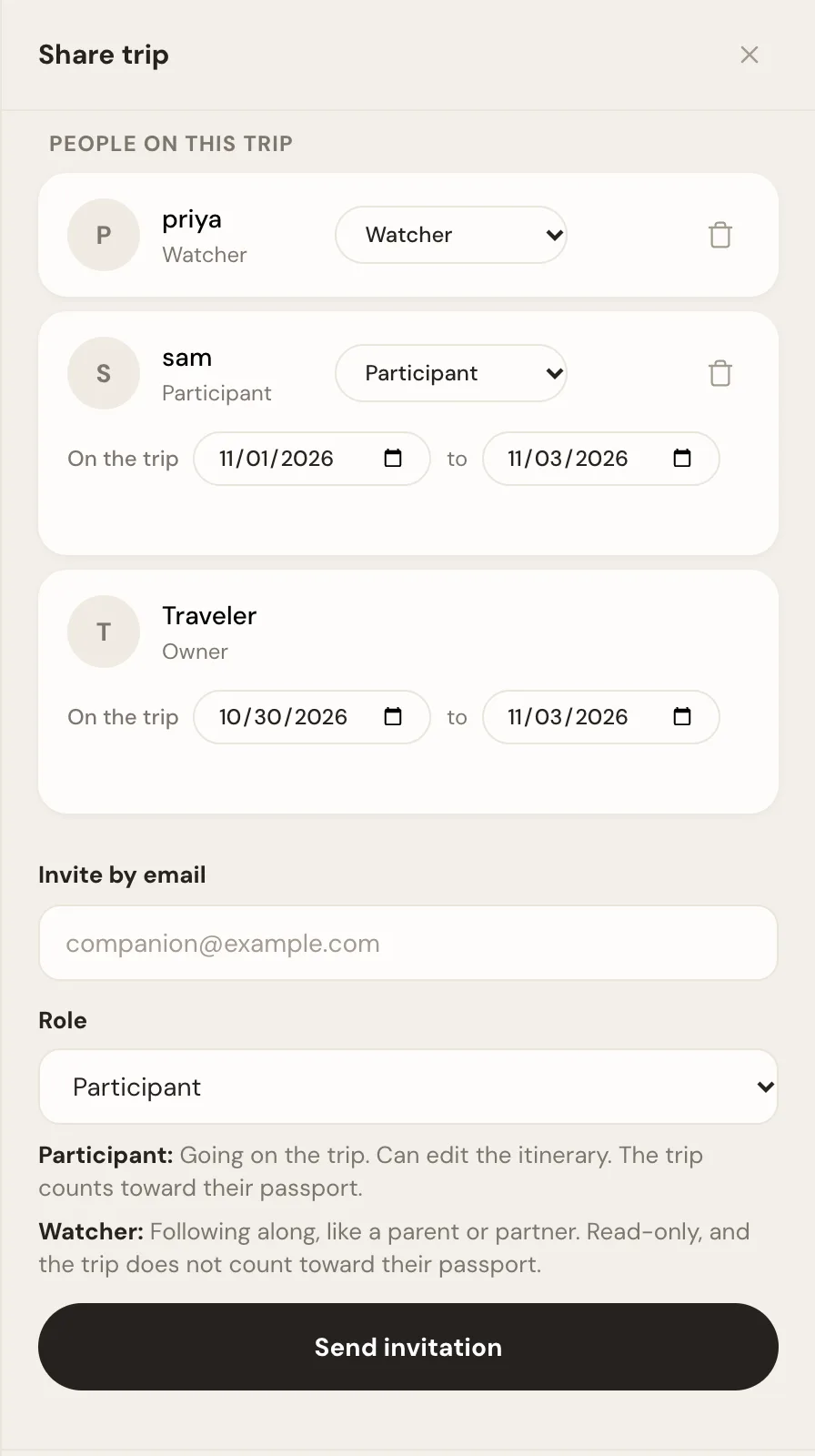
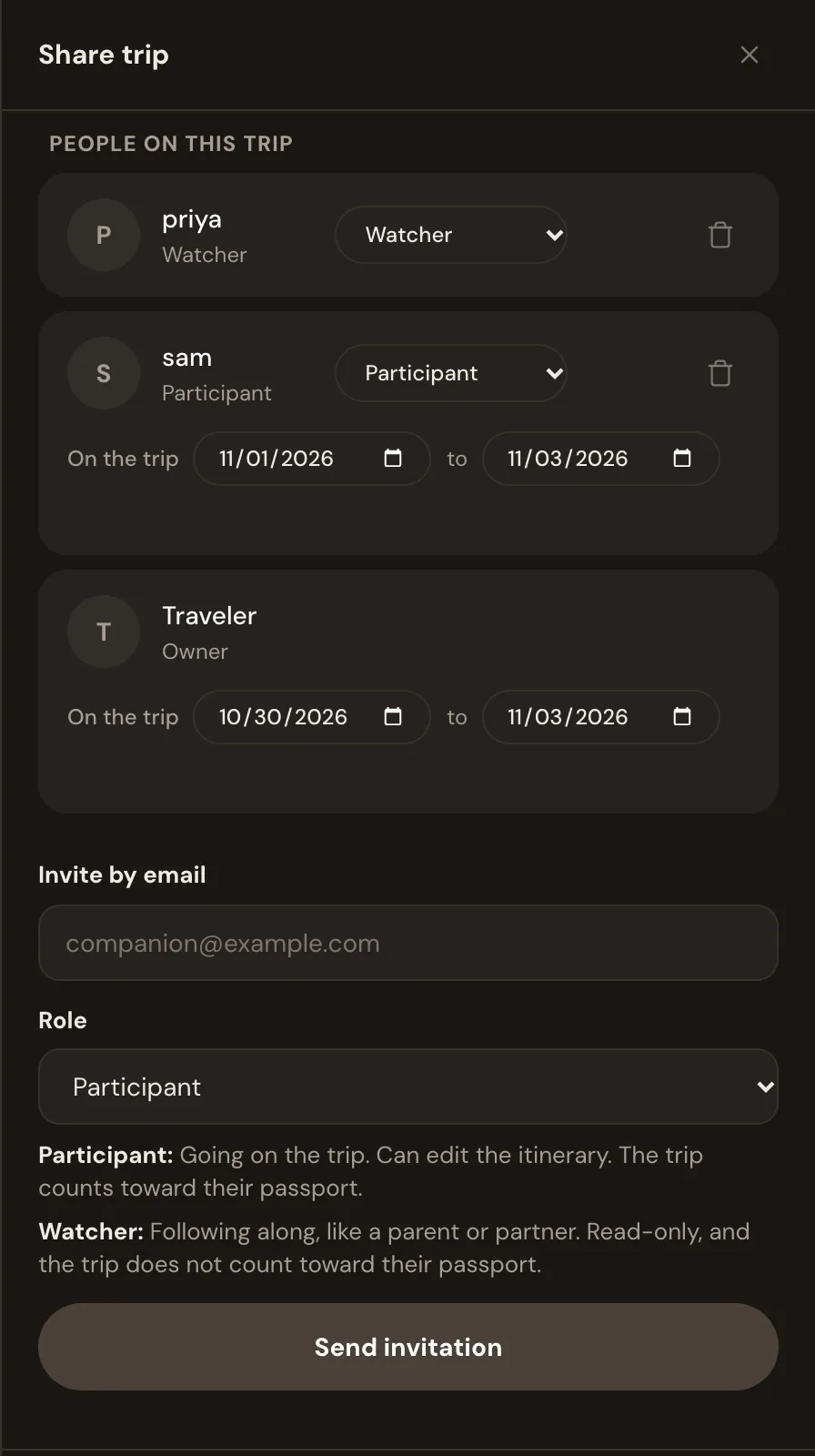
Whimbrel builds the same Travelers, Day by day, and Bookings from the emails themselves. Each traveler forwards their confirmations to the trip's address, or connects Gmail, Outlook, or Fastmail so new bookings arrive on their own, and an assistant files each booking on the right day with its confirmation number. Each person has their own dates on the trip, any item can be for some of the group, the people at home can watch without editing, and nobody retypes anything.
Whimbrel is free today. Whimbrel Pro is coming for people with many trips a year or many people per trip, and everything you build now comes with you. Forward the first booking for your next group trip and watch the itinerary build itself, then invite the rest. The features page lists everything it does, and the FAQ covers what it reads from your mail and what it never does with it.
Frequently asked questions
Is there a free travel itinerary template for Google Sheets?
Yes. The group trip itinerary template on this page is a free spreadsheet with tabs for the trip overview, travelers, the day-by-day plan, bookings, money, and packing. Download it and upload it to Google Drive, or open it in Excel or Numbers. No sign-up and no email address.
How do I make a copy of a Google Sheets template?
Download the spreadsheet file, open drive.google.com, choose New, then File upload, and pick the file. Google Drive converts it to a Google Sheet you own. If someone shares a Google Sheet with you as view-only, open it and choose File, then Make a copy.
What should a group trip itinerary include?
Who is coming and when each person arrives and leaves, every booking with its confirmation number, a day-by-day plan that says who each item is for, who paid for each shared cost, and a to-do list with an owner on each line. A template for one traveler has none of the who columns, which is why a group needs its own.
How do you share a trip itinerary with a group?
Put it in one place everyone can open. Share the spreadsheet with edit rights to the people coming and view rights to the people at home, and ask each traveler to add their own bookings the day they make them. Or use an app that builds the itinerary from everyone's confirmation emails, so nobody has to type anything in.
Is there a travel itinerary template for Excel or Word?
Yes. The same template is on this page as an Excel file and a Word file. The Excel version has the dropdowns and the per-person totals on the Money tab; the Word version is the same structure as a document, for people who want to print it.
Can an app build the itinerary for me instead?
Yes. Whimbrel builds the same travelers, day-by-day, and bookings tabs from the confirmation emails each traveler forwards, so the itinerary fills itself in and everyone sees the same trip. It is free today, and Whimbrel Pro is coming for people with many trips a year or many people per trip.